I have an application that writes to its Device then inside the array that Device is mirrored to an BCV. When it is time for a backup a script will kick off that will break the mirror.
Then the backup application reads the data from that mirrored BCV. Sometimes things will go wrong and that script will never resync the mirror. That then results in broken backups. To fix this I had to go into the VMAX3 SYMCLI and run these few commands.
- symdev -lock list
- symdev release “Then confirm yes for each lock”
Looks really simple doesn’t it? It took me a while to figure out. It is not often I have to touch the VMAX and when I do it is usually with the GUI. I also have a thick book of all the long complicated SYMCLI commands. Thankfully through trial and error it ended up just being two simple commands.

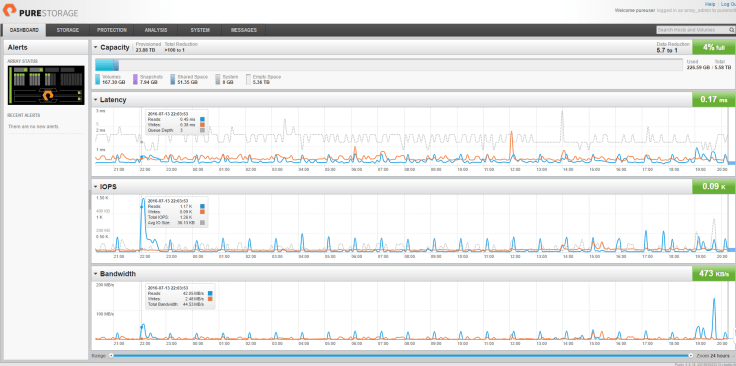


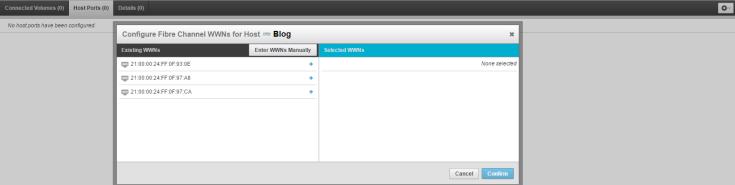
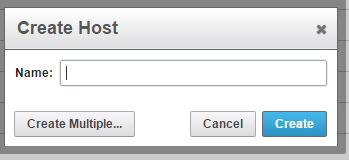 4. Now if you are running vCenter Cody Hosterman has a great Powershell script that will import all your Host and WWN for you. If not here is were we enter the WWN. Click on Host Ports and then click the gear on the right side, and select configure WWN. From here if you already zoned in the storage you will see your WWN; if not you can go ahead and enter them manually.
 5. Now that your Host is created and zoned in its time to create the Volume and connect it to the host. Click Volumes + sign at the bottom left and the screen, and enter the size Volume you want.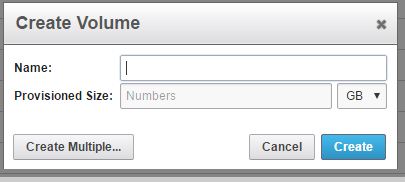

 Brandon Graves
Recent Comments